Your library, even without a connection.

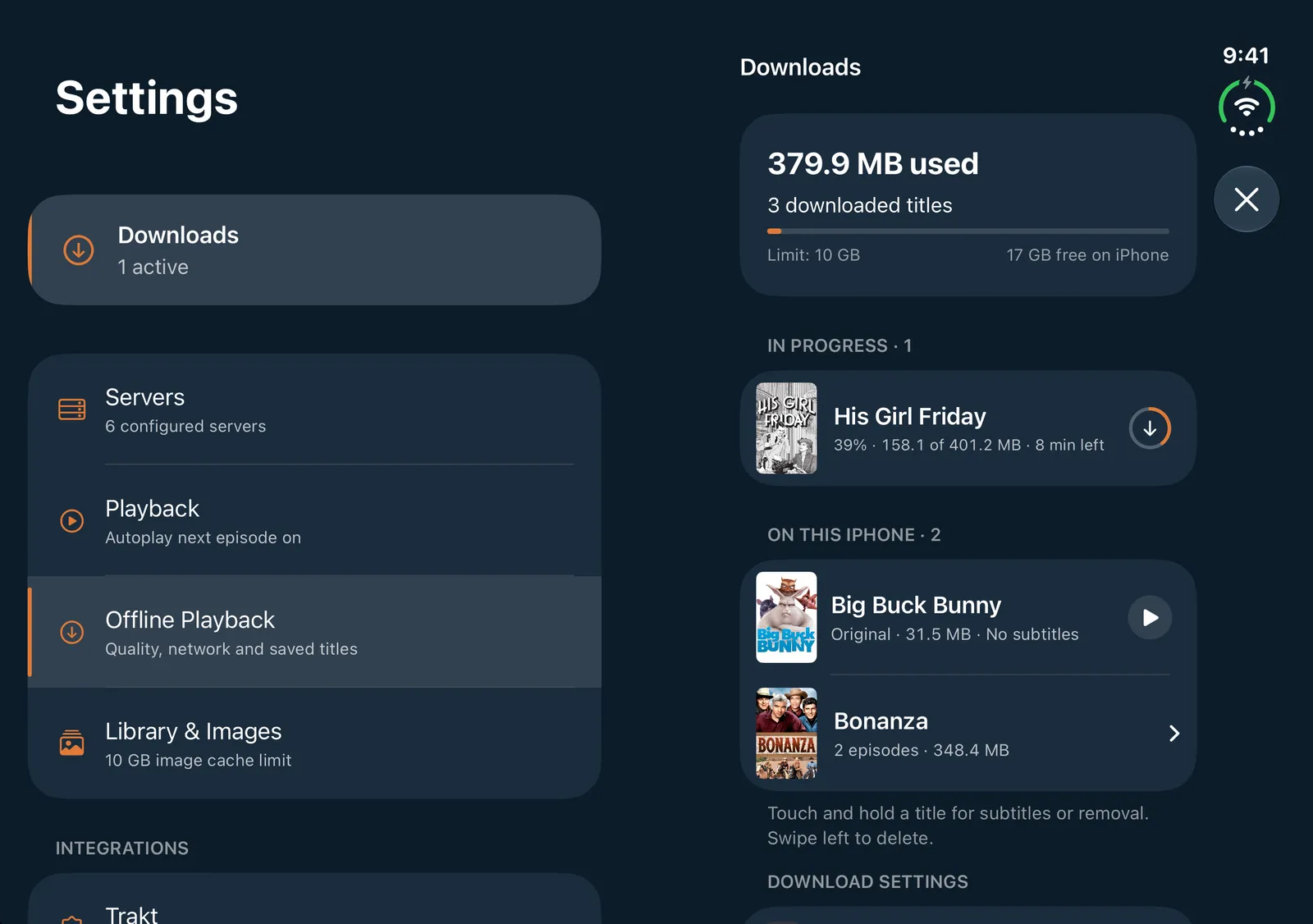
Download movies and TV episodes from Jellyfin or Plex to your Apple TV, iPad or iPhone. Finish your downloads at home, then watch on a flight, on your commute, or anywhere your server is out of reach.

  • Save movies and individual TV episodes for offline playback
  • See download progress, review saved titles, and manage storage
  • Pick the download quality, and stalled downloads resume on their own
  • Offline downloads require Trovu Pro, an optional in-app purchase
How Jellyfin & Plex offline downloads work →
Trovu Settings and Downloads side by side on iPhone Duo, with saved titles and storage used

Just press play.

Trovu plays virtually every format your server has, directly on your Apple TV, iPad or iPhone. No server transcoding needed for most content. Your server stays cool while Trovu does the heavy lifting.

Video Codecs
H.264 HEVC / H.265 AV1 VP9 MPEG-4
Containers
MP4 MKV WebM MOV M4V HLS MPEG-TS
Audio
AAC MP3 FLAC Dolby Digital (AC3) Dolby Digital+ (EAC3) DTS DTS-HD TrueHD

If a file is too demanding for your device, like 4K AV1 HDR, you can choose to have your server convert it instead.

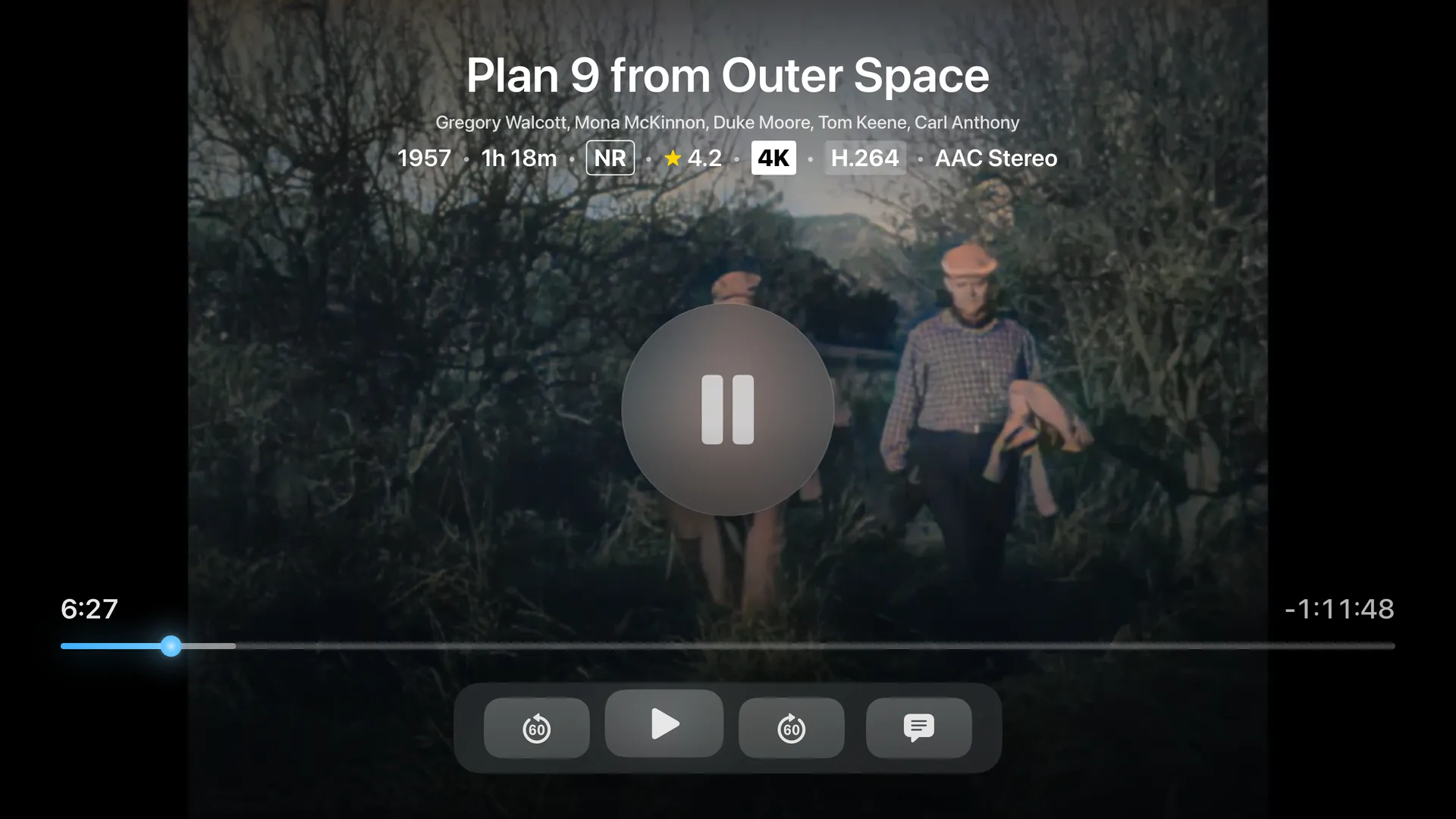
Trovu video player on Apple TV showing playback of Plan 9 from Outer Space with codec and resolution info

4K and HDR.

Watch your content the way it was meant to be seen. Trovu supports HDR10 for stunning color and contrast on Apple TV 4K.

  • HDR10 playback for compatible content
  • 4K resolution support on Apple TV 4K
  • Detailed media info overlay shows resolution, HDR status, and codec at a glance
Trovu home screen on Apple TV 4K with Continue Watching and recently added movies

Sign in without typing a password.

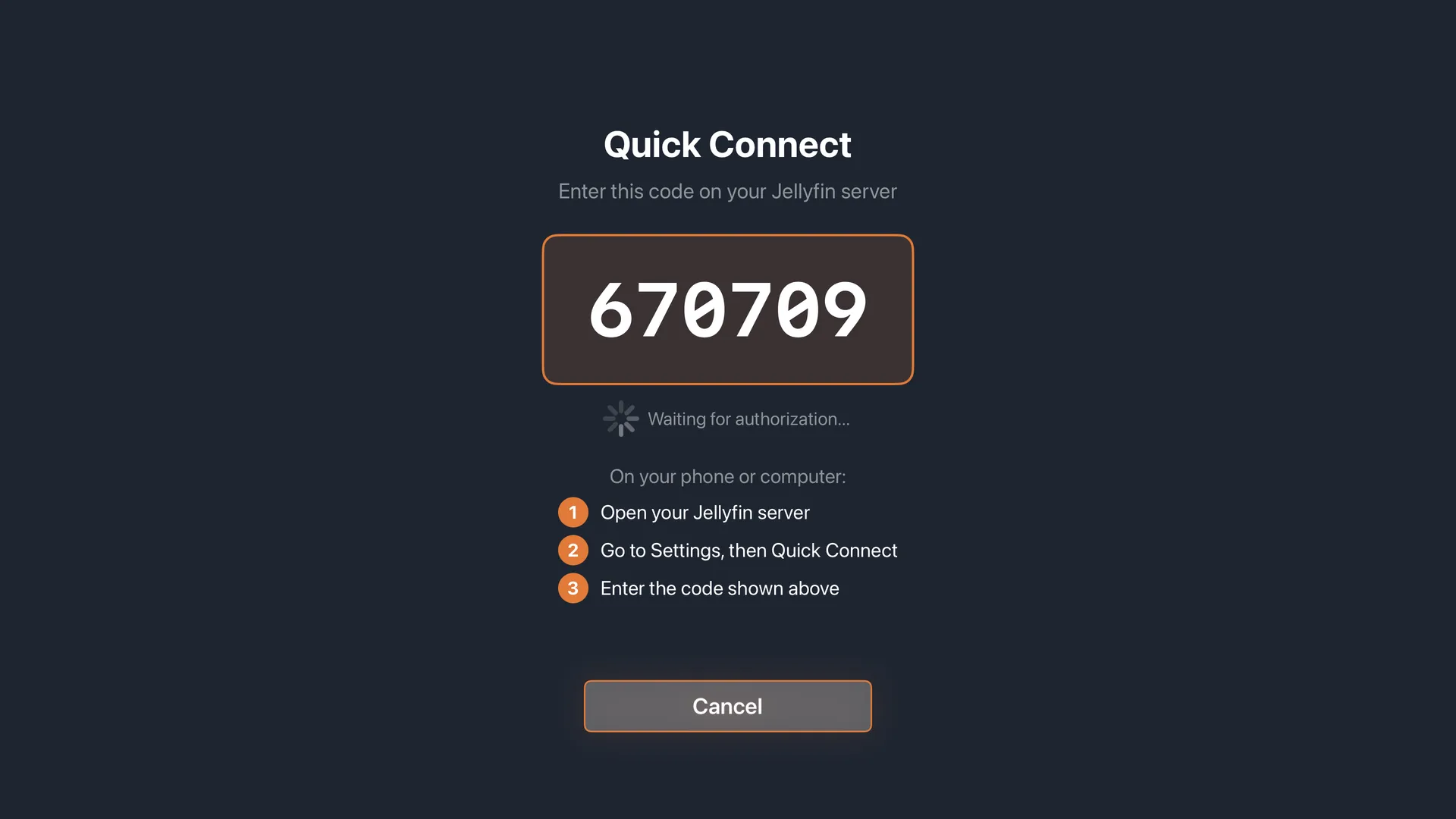
Jellyfin and Plex both sign in with a short pin code you approve from your phone or browser. No fumbling with the remote keyboard.

  • Jellyfin: enter your server address, then approve a Quick Connect pin from any browser
  • Plex: sign in with a code at plex.tv/link and pick from your owned and shared servers
  • Plex servers on your local network are discovered automatically, or enter an address manually
  • Add more Jellyfin and Plex servers with Trovu Pro
Trovu Quick Connect screen showing a six-digit pin code for password-free Jellyfin sign-in on Apple TV

Your library, instantly.

Browse and search your complete movie and TV collection without waiting for network requests. Trovu keeps your library available and responsive at all times.

  • Instant full-text search across all movies, series, episodes, and people
  • Search works across all connected servers at once
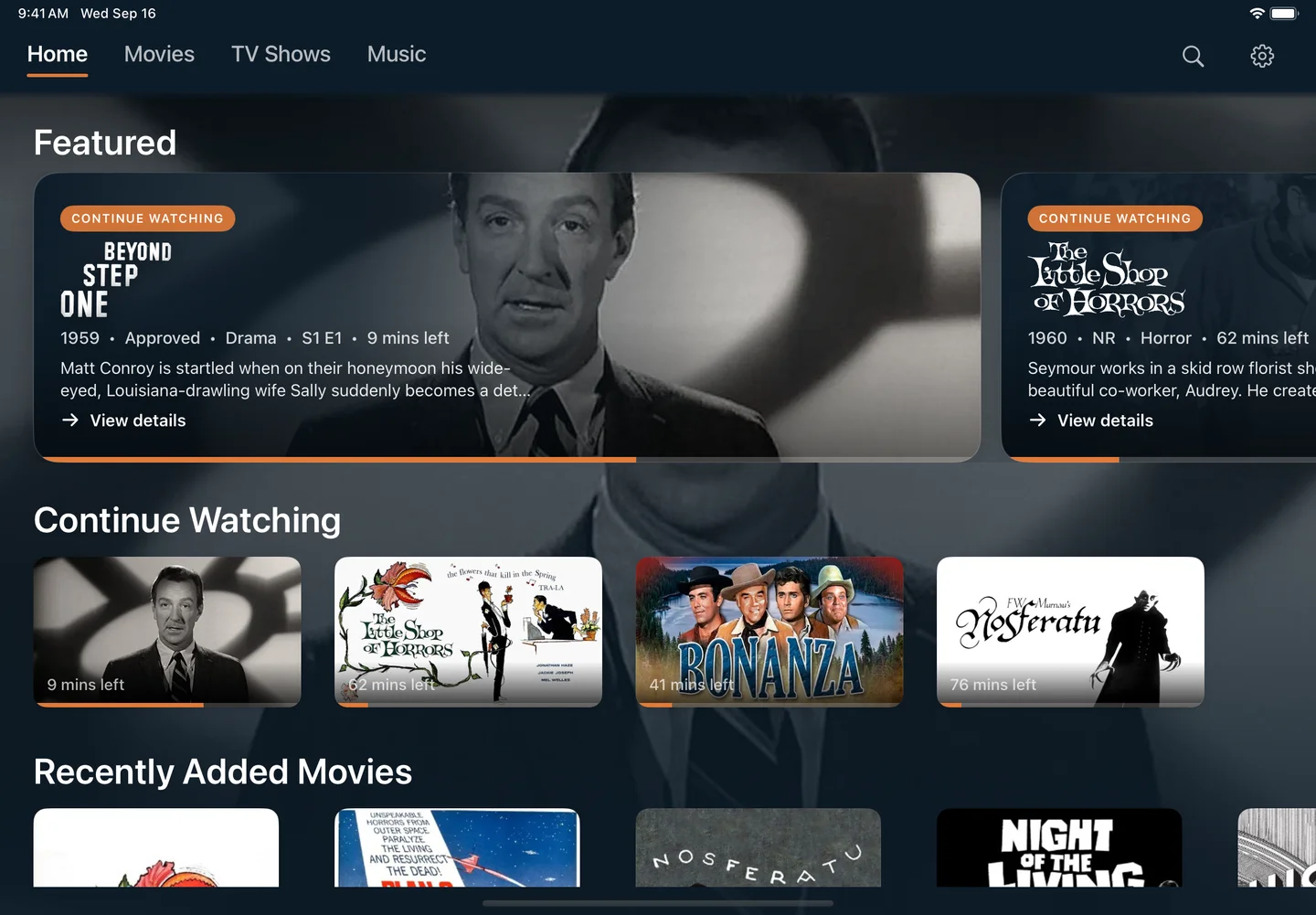
  • Continue watching with automatic progress tracking
  • Sort by title, release date, rating, date added, or personal rating
  • Filter by genre, decade, content rating, and community score
  • Browse and search even before your network catches up
  • Background sync keeps everything fresh
Trovu on iPad showing Continue Watching and recently added movies from a Jellyfin and Plex library

Rich media details.

Dive deep into your library with detailed information for every title.

  • Cast and crew with full filmographies
  • Content ratings, quality badges, and codec information
  • Related content suggestions
  • Episode guides with season navigation for TV series
  • Expandable synopses and metadata
  • Enhanced cast photos and biographies
Trovu movie detail page on Apple TV for His Girl Friday, showing cast, ratings, codec info, and synopsis

Controls for every screen.

A player built for the Siri Remote, for touch, and for the fold.

  • Siri Remote controls on Apple TV, touch controls on iPhone and iPad
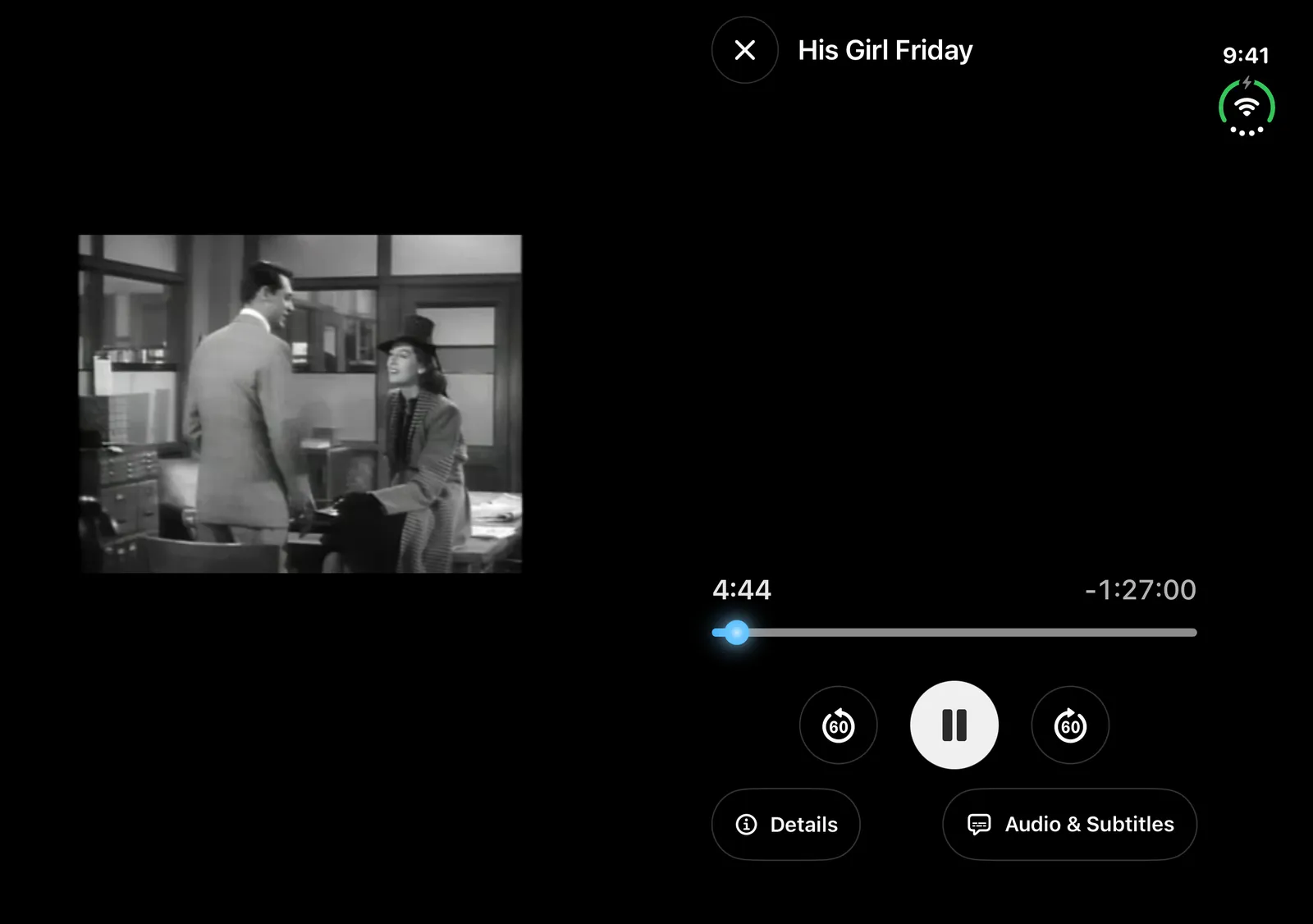
  • On iPhone Duo, the picture and the controls sit on separate halves
  • Audio and subtitle track switching during playback
  • Seek and scrub with visual feedback on the progress bar
  • At-a-glance media info: resolution, HDR, codec, audio channels
  • Buffer progress indicator on the timeline
  • Automatic resume from your last position
Trovu video player in iPhone Duo book pose, with the picture on the left page and the playback controls on the right

Full subtitle support.

Watch in any language with support for both text and image-based subtitles, embedded or external.

  • SRT, ASS, and VTT text subtitles
  • PGS image subtitles from Blu-ray rips
  • Embedded subtitles from MKV and MP4 containers
  • External subtitle delivery from your Jellyfin or Plex server
  • Easy track switching during playback

Live TV.

Watch live TV channels from your Jellyfin or Plex server on any screen.

  • Browse your channel lineup
  • TV-style program guide
  • Watch live streams with full player controls
  • Live TV section on the home screen

Keep your watch history in sync with Trakt.

Connect your Trakt account once and what you watch in Trovu shows up on Trakt automatically. Free for everyone.

  • Scrobble movies and episodes as you watch them
  • Optionally pull your existing Trakt history back into Jellyfin
  • One Trakt account covers every connected server
  • Sign in with a simple code, no password typing

Request what you don't have yet.

Connect Seerr to find titles that are not in your library and request them without leaving the couch. Seerr requests are part of Trovu Pro.

  • Request movies and shows right from search
  • Request a title from any actor's filmography
  • Track your requests in one place
  • Play a request the moment it lands in your library

One experience, many servers.

With Trovu Pro, connect as many Jellyfin and Plex servers as you want, and mix the two freely. View all your movies and TV shows together on one home screen, or filter by server. Search results, continue watching, and recently added content all aggregate across servers. Switching is instant.

Ready to try Trovu?

Stream for free on Apple TV, iPad and iPhone. Trovu Pro adds offline downloads, more than one server, and Seerr title requests.

iPhone with iOS 26 or later. iPad with iPadOS 26 or later. Apple TV HD and Apple TV 4K with tvOS 17 or later.
Trovu